Weekly Ad Report
General Overview
General Overview
General Overview
Once we setup your Ad Report, it will be emailed out to you weekly on either a Monday, Wednesday, or Friday. If you would like a specific day of the week you can let us know through our tickets system: tickets@virteom.com
Let's take a look at what to expect out of your Ad Report.By default your Ad Report will look similar to the following report.

On the left of the webpage you can see the navigation. These are the individual pages that have the basic information that we gather.
Under the header Weekly Ad Report, you will see a date range, this is the range of time that the information you will see is gathered from.
Page 1 | Overview
This page will show you Conversions and Exposure that our ads provide.

- Conversions
- Total
- This is the sum amount of conversions tracked from the "Form Leads" & "Total Calls"
- Form Leads
- These leads come from a user submitting a form after arriving on your webpage from a Virteom ad
- Total Calls
- These leads come from a user calling the phone number on your site after arrriving there from a Virteom ad
- Total
- Exposure
- Clicks
- This number is generated by the total amount of users clicking on a Virteom-run ad.
- Impressions
- This number is the total amount of potential users that saw an ad through Google search.
- Clicks
Page 2 | Search Phrases and Keywords
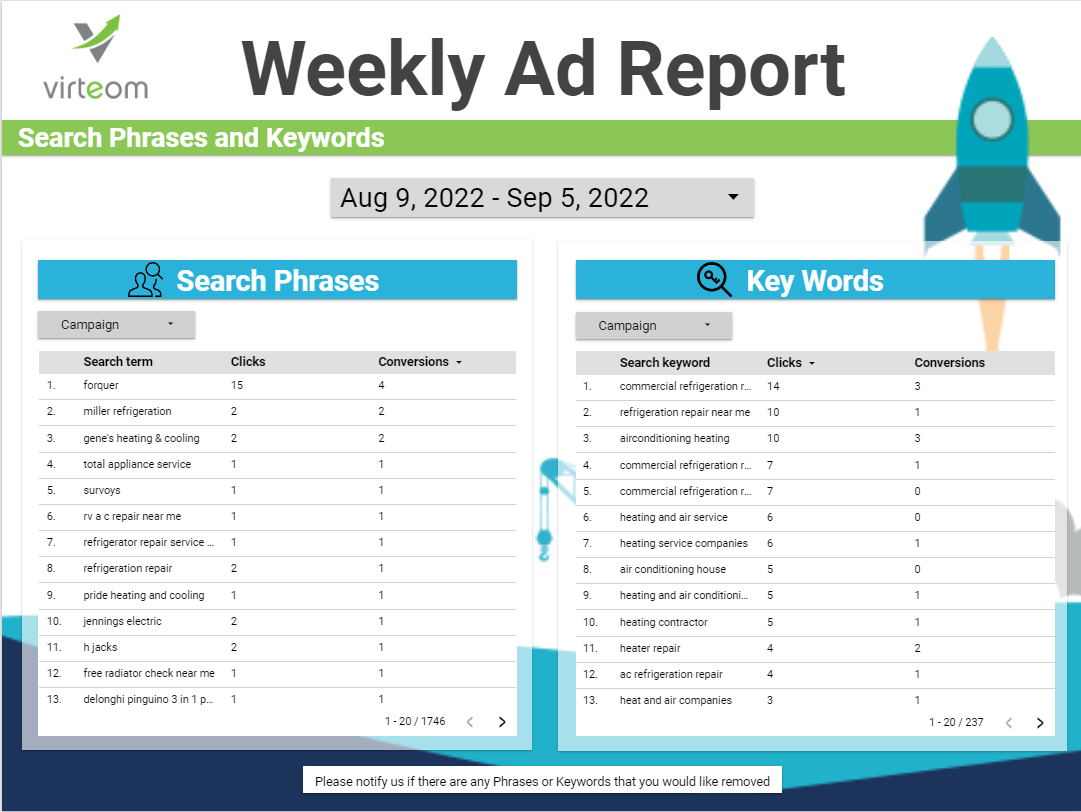
This page will show you the Search Phrases, and the Keywords for your Ads account, and will (by default) be ordered by the best performing phrases and keywords.
- Search Phrases
- The word or set of words a customer enters when searching on Google.com or one of the Search Network sites.
- Keywords
- The word or set of words that Virteom Advertisers create for a given ad group to target your ads to customers.
If you see any Phrases or Keywords that you would like removed, please contact us through: tickets@virteom.com.
Page 3 | Phone Calls Overview
This page shows you the most recent calls that were connected through one of Virteom's ads.

- Phone Call Details
- The sum of all calls is on the left
- The list of calls is on the right
- "Start Time" will be the time when the call was made.
- "Answered" will be if your organization answered the call.
- "Source" will normally always say "Google Ads" but if it does not, please reach out to Virteom through our tickets system: tickets@virteom.com
- "Recording" will allow you to hear the call that was made through one of our ads. If a recording is available (does not say "null") you can click into the call and will be redirected to the call recording.
- "Call Duration" will display the length that the call was.
Page 4 | Definitions
This page will recap the definitions of: Conversion, Click, Impression, Search Phrase, and Keyword.
