Site "Sucking"
Windows | WGet Method
Windows | WGet Method
Site "Sucking" using GNU Wget
GNU Wget is a free software package for retrieving files using HTTP, HTTPS, FTP and FTPS, the most widely used Internet protocols.
*Tested for Wordpress sites.
*May not function with Rocketsites websites.
Installation
If you have chocolatey installed, the following command will install GNU Wget (run in Powershell as Admin):
choco install wget
Otherwise look for a safe download directly from Wget: https://www.gnu.org/software/wget/
Using GNU Wget
Wget works best out of Command Prompt, not Powershell.
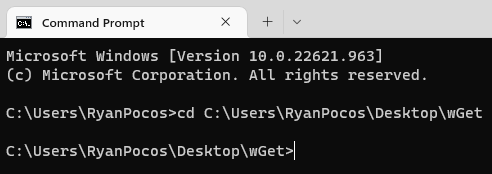
In Command Prompt change the directory to the location where you would like to save the file.
*See changing directory below for more information.
The command to use Wget will be:
wget --mirror https://example.com
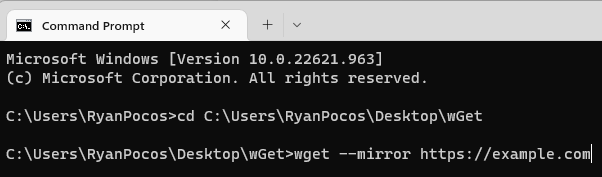
replace "https://example.com" with whichever site you would like to "suck"
Additional Commands
Wget also allows for additional options when downloading from a site. Useful Commands should be notated below.
The wget command allows for options to be placed on it.
-r runs recursively
-k converts links from the original source to local files
--mirror is equivalent to running -r -l inf -N
Changing Directory
Let's face it not everyone knows Command Prompt like the back of their hand.
To change directory the command is
cd filepath
What if you don't know the file-path of the file you want to save to?
- In file explorer, if you are in the file you would like to save to right-click the address bar.
- Then select "Copy address as text"
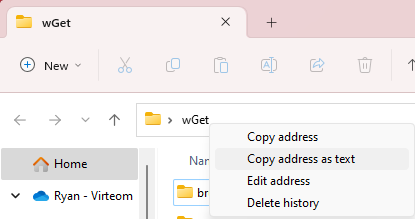
From there you can type "cd" into Command Prompt and paste the file-path. Pressing enter will change your directory.